Crypto wallet drainers: how to spot and avoid malicious approvals

You don't have to share your password to lose your crypto. Connecting a wallet to a website to claim a reward or mint an NFT is routine, but what you sign may not match what you expect. One click on Approve or Sign can let a harmless-looking site take your tokens, even though your seed phrase and private key never left your hands.
TL;DR
- A wallet drainer is a malicious contract or script that empties your wallet after you approve or sign something. It never needs your seed phrase or private key.
- Connecting a wallet doesn't give a site permission to spend your funds. The danger comes from the approval or signature you give afterward.
- Drainers show up in fake airdrops, counterfeit NFT mints and phishing sites that copy trusted platforms. Many are sold as ready-made kits, with the profits split between the kit's developer and the operator running the scam.
- Unexpected prompts, urgency and a "claim" or "login" request that asks for token spending rights are the clearest red flags.
- Limited allowances, a separate wallet for risky apps and regular permission checks on Revoke.cash or Etherscan reduce the damage. A hardware wallet helps, but it can't stop you from approving a bad transaction yourself.
- A signed transaction can't be reversed. If you've signed something suspicious, move your remaining assets to a fresh wallet, revoke the approval and ignore anyone offering to recover your funds for a fee.
What is a crypto wallet drainer?
Everything looks normal, yet a malicious contract has just gained permission to siphon your funds. That's how wallet drainers, also called crypto drainers or drainware, work, and they are a core tool of crypto phishing.
A drainer is malicious software or a smart contract used to empty a victim's digital wallet in seconds, without needing a password. It lures you into connecting to a fake or compromised Web3 site and signing a transaction that grants transfer permission. Fake airdrops and counterfeit NFT mints are typical lures.
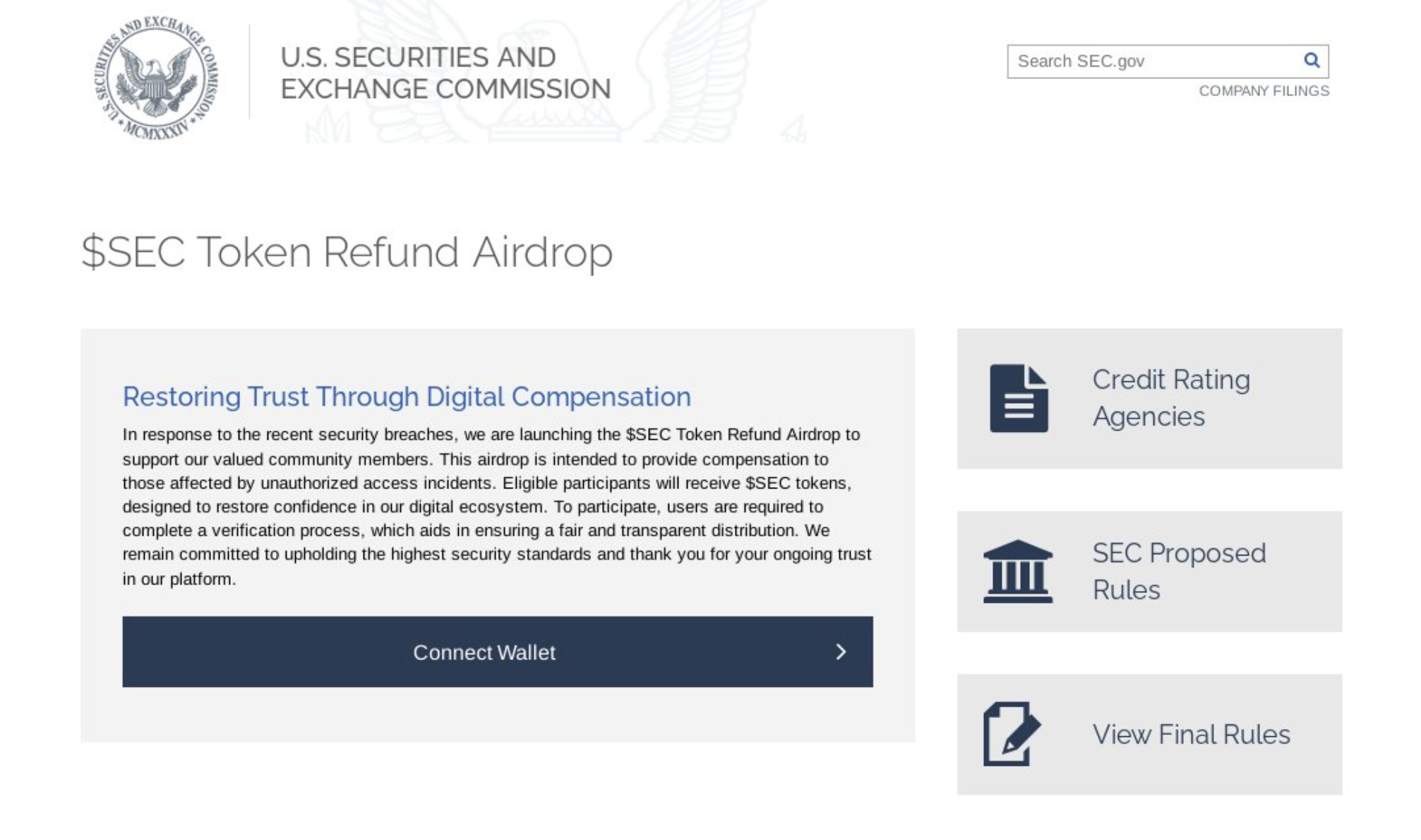
Connecting a wallet to a website alone does not normally give it permission to transfer funds. The danger comes from what the user approves or signs afterward, which gives attackers two routes:
- Malicious approvals, where the user unknowingly grants a contract permission to transfer certain tokens from their wallet
- Malicious signatures or transactions, where the user unknowingly signs an action that authorizes a transfer or another operation that benefits the attacker
Drainers are most common on Ethereum and EVM-compatible networks, but they have also hit users of Solana and Bitcoin Ordinals, from small holders to celebrities. Mark Cuban and Seth Green lost more than $1 million between them. Cuban's attack reportedly involved a fraudulent version of the MetaMask app, and Green had four Bored Ape NFTs stolen after connecting his wallet to a phishing site. Both were easy mistakes to make.
How malicious wallet approvals work
These cases rest on token approvals, the smart contract permissions that self-custodial wallets use in DeFi. MetaMask puts it this way:
"Every DeFi interaction starts with a token approval, and every token approval is a permission that can outlast the transaction that created it."
Many tokens, including ERC-20 tokens on Ethereum, use a permission system that lets a smart contract move a specific token from a wallet on the holder's behalf. For instance, when swapping tokens on a decentralized exchange (DEX), you may need to approve a contract to spend a certain amount of your tokens. Otherwise, the DEX can't touch those tokens, even if your wallet is connected to the app's interface.
Approvals bridge the gap between connecting a wallet and letting a protocol use the assets inside it. An approval isn't unlimited by default, but attackers abuse it.
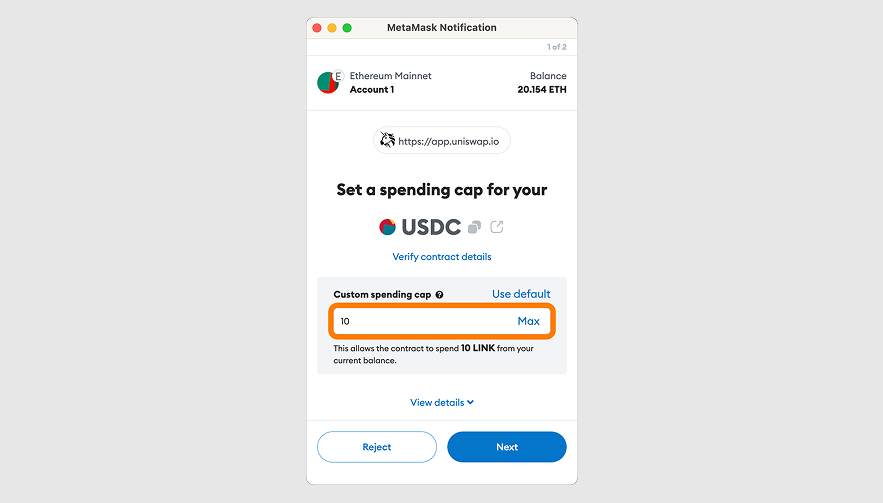
Unlimited token allowances are risky, although some legitimate services request them for convenience. An allowance doesn't trigger a transfer by itself, but it lets the approved contract spend your entire balance of that token whenever it chooses, and a malicious or compromised contract can do real damage.
How wallet drainer attacks usually unfold
The bait
A user is tricked into following a deceptive link through phishing or social engineering. Typical disguises are fake airdrops, bogus NFT mints, DEX ads and urgent account notices. They spread through direct messages and compromised social accounts, and the phishing sites can be pixel-perfect copies of trusted platforms. Drainer code can also arrive through fake AI tools and malicious developer packages, such as npm packages.
Attackers may also use drainer kits, often sold as "Drainer-as-a-Service" (DaaS). Each kit pairs a web-page script with a back end that tracks victims and moves stolen funds. Templates for fake sites come included. The authors rent the kit to "affiliates," who run the phishing campaigns.
Connection and asset enumeration
The phishing website asks the user to connect their wallet, and once they do so, the drainer script gets to work behind the scenes. Using the wallet's public address, it queries the blockchain for every asset in the wallet and ranks them by liquidity and dollar value, so the most valuable items go first, before the user notices.
The deceptive signature request
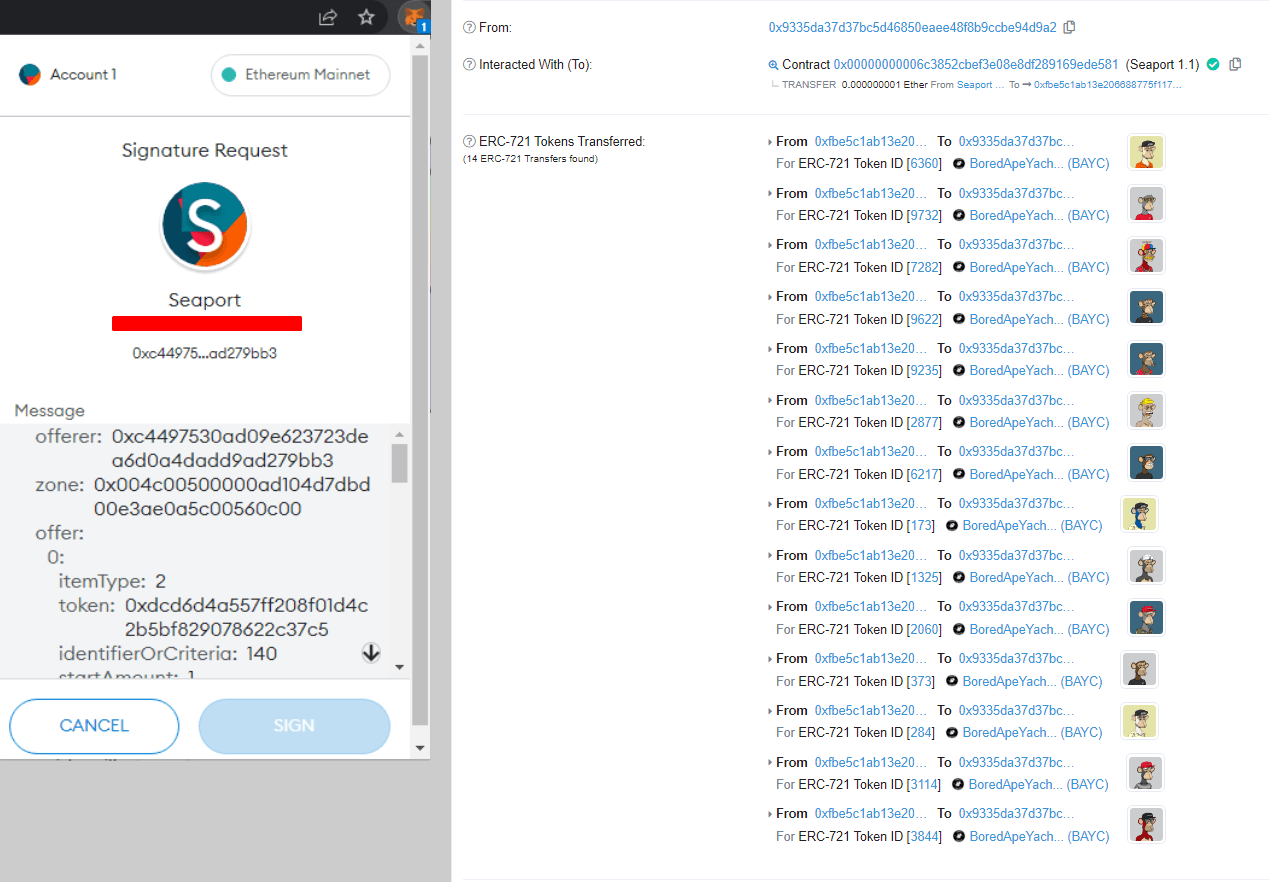
A confusing or seemingly routine pop-up asks the user to approve tokens or sign a transaction. The request looks technical and usually avoids asking for a direct transfer, since modern wallets clearly flag that as a loss of assets. Common methods include:
approveorsetApprovalForAll, granting unlimited spending rights over a specific token or entire NFT collection.- Off-chain permits (e.g., Permit2, EIP-2612), letting the user sign a gasless message off-chain, which victims often mistake for a routine login signature.
- Direct transfers (
transfer/sendTransaction) used for native coins such as ETH or SOL and often disguised as a "claim" or "verify" action.
The theft
Once the victim clicks "Confirm" or "Sign" in their wallet popup, the drainer contract executes automatically. The attacker's backend uses that permission to transfer the highest-value assets to an address they control. Because the sweep is automated, the wallet is typically emptied within seconds, although a drainer holding an unlimited approval can also wait and strike long after the user has left the site.
Laundering
Once stolen, the funds are rapidly moved to prevent tracking or freezing. Attackers often swap them on DEXs and bridge across different blockchains (for example, from Ethereum to Bitcoin or Solana) to obfuscate their origin. When a drainer kit is used, the smart contract automatically splits the stolen funds, sending roughly 80% to the phishing operator and 20% to the developer of the drainer software.
How to recognize a malicious approval
Be wary of unexpected approval requests, and don't sign messages you don't understand. Attackers rely on urgency, so you sign away spending rights before checking what you are authorizing. Claims that an offer expires in minutes or that you must act immediately are common pressure tactics. If a request appears when you haven't deliberately started an action, pause.
Legitimate apps sometimes request broad permissions to spend valuable tokens, but a simple website visit or reward claim should not automatically require them. Mismatched context, like a "claim" or "login" prompt asking for token spending rights or urgent action, is a red flag. "Free" or gasless signatures are also often used to trick you into granting permissions.
On the site itself, watch for misspelled or unusual URLs and for links from unsolicited messages. Convincing phishing sites can pass these checks, which is why the prompt matters more than the page.
How to protect your wallet from drainers
Each warning sign above has a matching habit that lowers the odds of signing something harmful. No single habit covers every attack, so use them together.
- Verify links before connecting. Use official project websites and bookmarked URLs instead of links in unsolicited messages or ads.
- Read wallet prompts. Check which token is involved, which contract is asking for permission and how much it wants to spend. If a prompt is unreadable or asks for more than the action needs, reject it.
- Avoid unlimited approvals. Where the interface allows it, set an allowance that covers only the transaction you intend to make.
- Review existing permissions. Check your token allowances from time to time and revoke any you no longer need. Etherscan's Token Approval Checker and Revoke.cash are two examples; make sure you are on the official site, because scammers imitate these tools.
- Use a separate wallet for risky interactions. Keep long-term holdings in a wallet that isn't routinely connected to unfamiliar apps.
- Keep your wallet and browser updated. Updates can fix known security issues, though they can't stop every phishing attack.
- Don't treat a hardware wallet as a complete fix. It keeps private keys offline and shows transaction details on its own screen, which malware on your computer can't alter. It can't stop you from approving a malicious transaction yourself, so read what the device displays.
What to do if you've approved a malicious contract
A signed transaction can't be reversed, and drainers often execute within seconds or minutes, so act quickly to protect whatever remains. Treat the compromised wallet as burned and never reuse its seed phrase. Recovering funds stolen by drainers is often difficult or impossible.
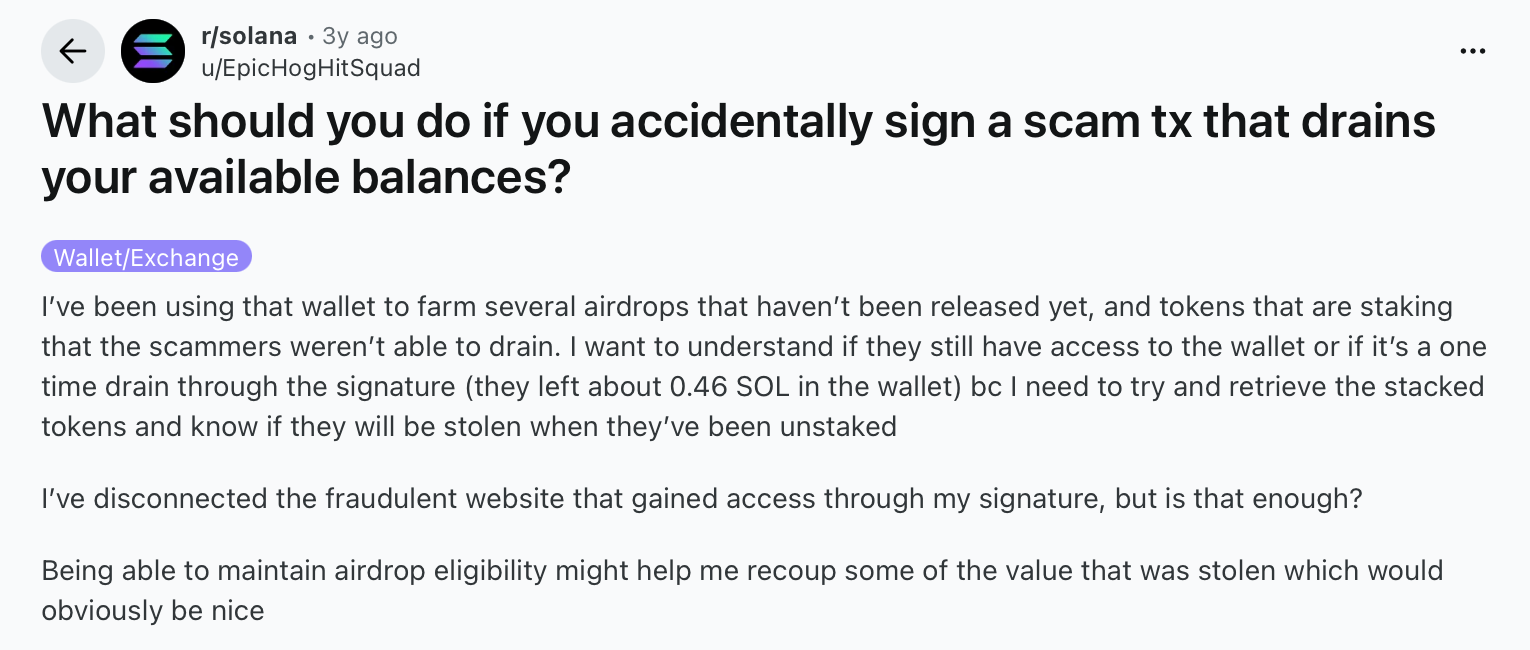
- Move what's left first. Check your transaction history for suspicious transfers, then create a fresh wallet with a new seed phrase, ideally on a clean device, and move any remaining tokens or NFTs there right away. Don't reconnect the affected wallet to the suspicious site.
- Revoke the approval. If you signed an on-chain approval (approve or delegate), use a trusted checker like Revoke.cash, or your wallet's or chain's own revocation tool, to cancel active permissions. Off-chain permit signatures and certain signed transfers may still be submitted by the attacker even after you revoke.
- Disconnect the malicious site. This stops further requests but doesn't undo a permission or transaction you've already signed.
- Check for malware. If you downloaded a file or extension before signing, run a malware scan and secure your device.
- Report the incident. Save the transaction hashes and the phishing URL, and take screenshots of the prompts. Notify your wallet provider and report the incident to your national cybercrime reporting service, such as the FBI's IC3 in the US.
- Be wary of "recovery" offers. No one can reverse a blockchain transaction for a fee. Treat anyone who claims they can recover drained funds as another scammer, and never enter your seed phrase into a recovery site.
Every wallet prompt is a decision
Connecting a wallet to a website doesn't give it permission to spend your assets. That permission comes from an approval or signature, and a drainer needs only one careless click to get it. Every prompt deserves the attention of a real decision, even when the page looks polished and the request looks routine. Checking the contract and the allowance takes a few seconds, and it can prevent a mistake that costs far more.