Swap, convert, exchange: What these buttons actually do in a crypto app
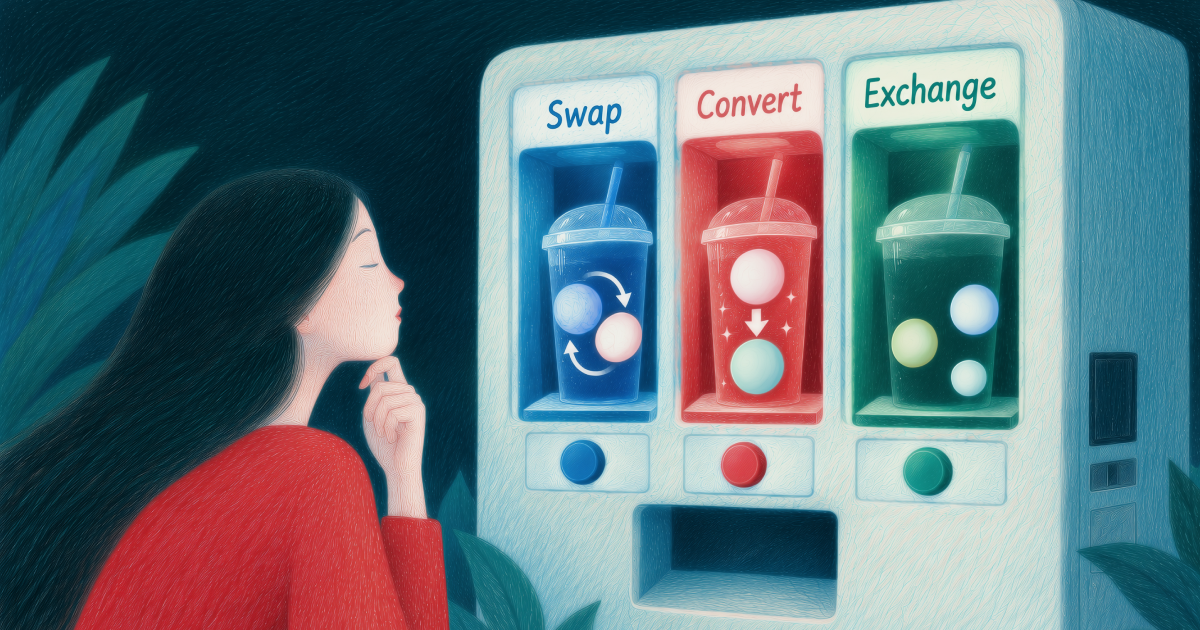
In everyday speech, "swap," "convert," and "exchange" blur together. In a crypto app, where they often sit side by side in the same menu, the difference can decide what lands in your balance.
All three can turn one asset into another, and apps don't fully agree on naming. But the labels usually hint at how the trade works: who's on the other side, how the price is set, and what it costs.
This guide covers what each button typically does and what to check before you tap confirm.
TL;DR
- Swap usually means crypto for crypto, often through a DeFi pool or self-custody wallet. Convert usually means moving into a stablecoin or fiat balance at a price the app quotes. Exchange means trading on an order book, and in many apps it's also the name of the screen that houses all of this.
- Naming varies between apps, so check what you're paying with and what you'll receive rather than trusting the label.
- A quote is a snapshot of a live market. It can change through a countdown, slippage, or network congestion.
- "Instant" means fast, not magic. Trades inside an app settle in seconds, while transfers out to other wallets or into a fiat balance take longer.
- Check the receiving asset and the network, start small, and keep a record of every trade for tax time.
Three words, one family of actions
Treat the labels as hints rather than rules. A common pattern has emerged, though, and it's the one used here. Many platforms are now all-in-one crypto apps, which is why the buttons often sit side by side.
Swap: One crypto for another
A swap trades one digital asset directly for another, without a traditional order book. Swaps are most common in decentralized (DeFi) settings, such as a DEX or a self-custody wallet like MetaMask or Trust Wallet. They suit anyone who wants to stay in self-custody or trade tokens that aren't listed on exchanges.
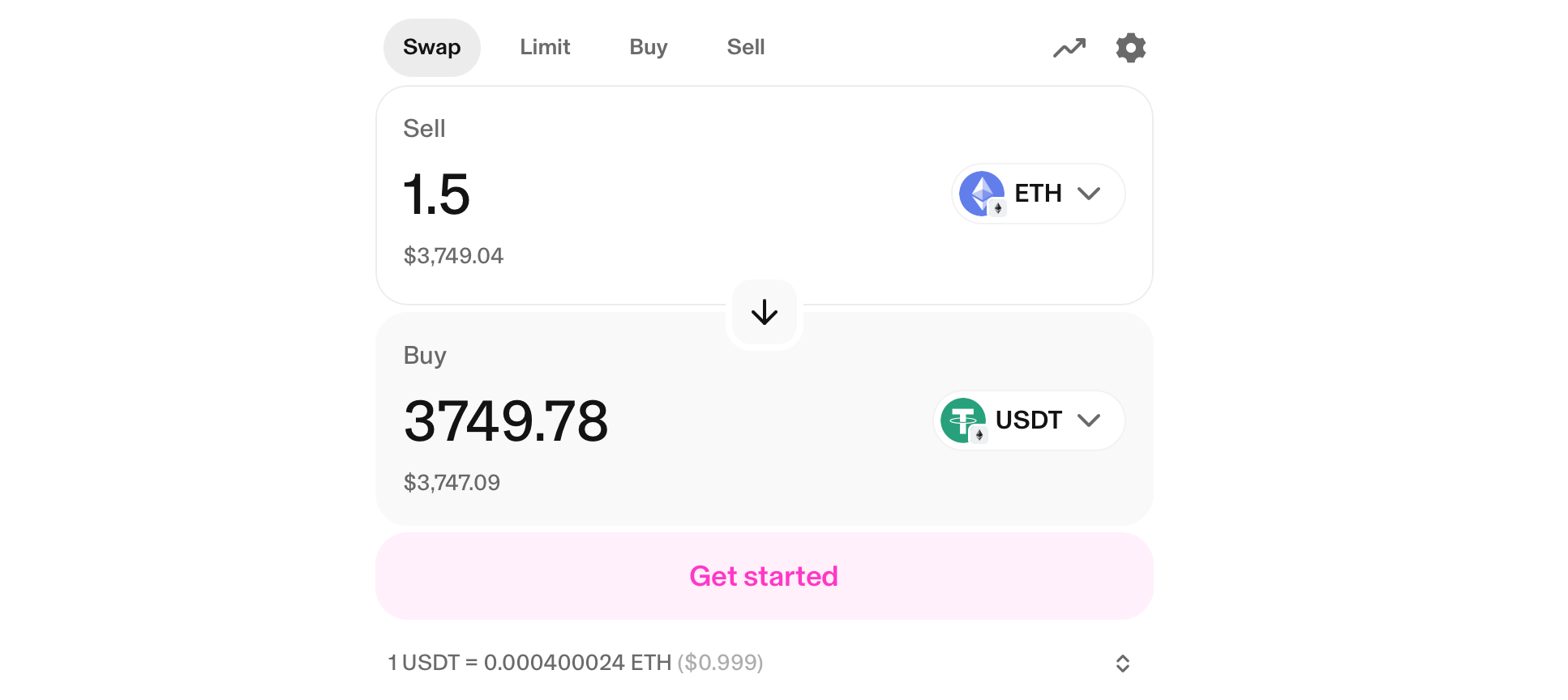
Say you hold ETH and want some BTC. You pick ETH to pay with, BTC to receive, enter an amount, and confirm. Under the hood, you put token A into a smart-contract liquidity pool and pull out an equivalent value of token B, instead of waiting for a buyer. Swaps typically take seconds to minutes.
The catches when you swap crypto are slippage (the price can shift mid-transaction) and network, or gas, fees, which jump when the blockchain is busy. You also need the network's native coin, like ETH or SOL, to pay them.
Convert: Into a stablecoin or fiat balance
Convert usually means moving into something steadier than a typical coin. That can be a stablecoin, a token designed to track a fiat currency such as the dollar or euro, or a commodity such as gold.
Stablecoins vary a lot in how they're backed, and our guide to how they differ is worth a read. Convert can also leave you with a fiat balance, though availability depends on your country.
Here the app acts as a dealer: it locks in a price and handles the trade instantly behind the scenes. That price is the market price plus a small built-in margin, commonly called the spread. Spreads tend to shrink when liquidity is high and volatility is low, and widen when the opposite is true.
A typical crypto convert case: your coin has had a good run, you don't want to ride the next dip, and you move part of it into a stablecoin. Or you need rent money and want it as a euro balance. The catch is that, because of the spread, you receive slightly less than the open-market price would give you.
Exchange: The order book, and the screen
In crypto interfaces, "exchange" works as both noun and verb. As a trading method, it means placing an order on an order book, where the platform matches you with other buyers and sellers.
A market order buys immediately at the best available price. A limit order sets your price and waits until the market reaches it.
Order books often offer lower fees and more precision, but the learning curve is steeper: you watch charts and choose order types.
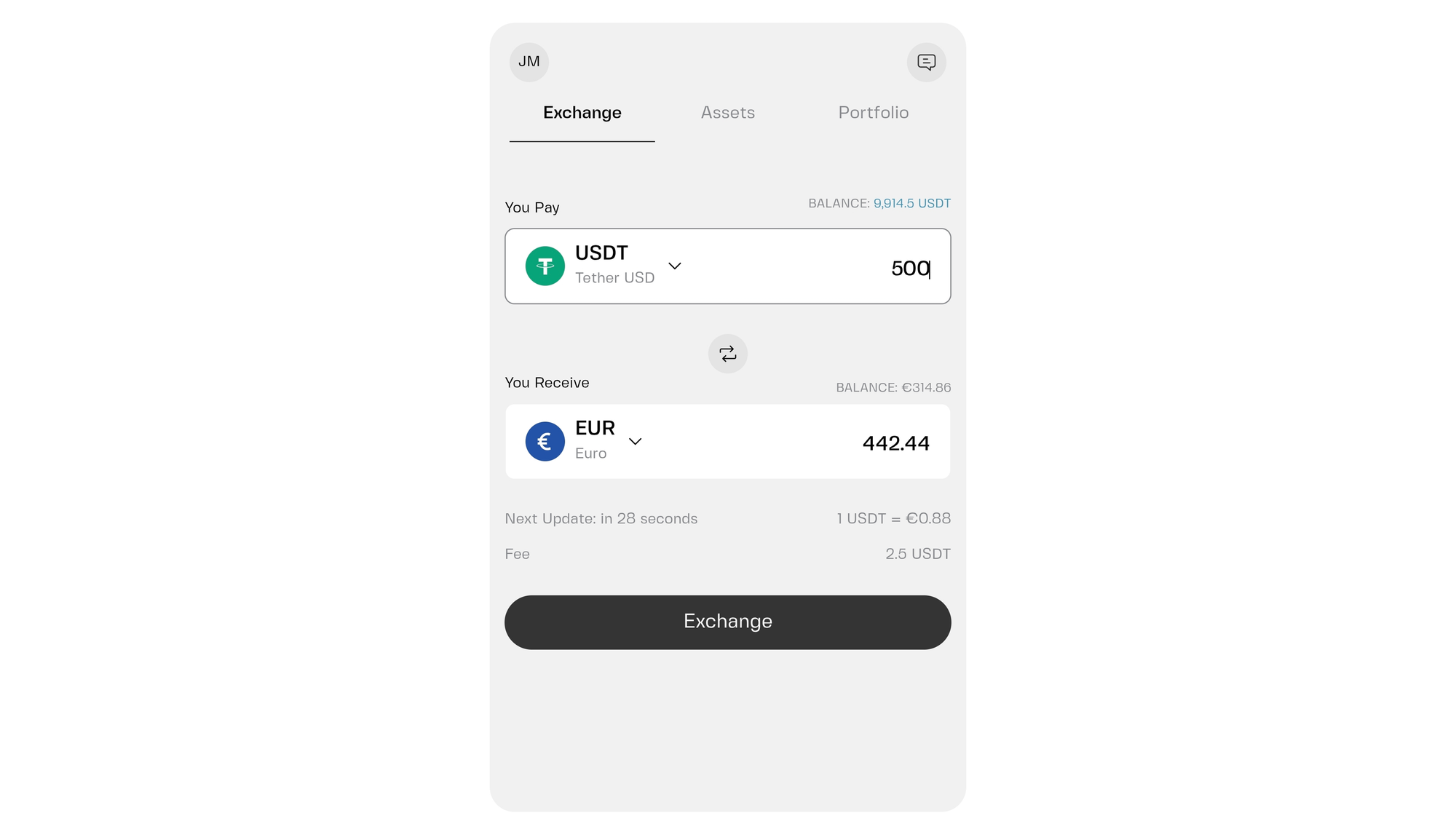
In some apps, Exchange is also just the name of the screen where you swap, convert, and sometimes buy or sell. In Clapp, that's where you swap and convert. So if one app says "Exchange" and another says "Convert" for something that looks identical, check what you're paying with and what you're receiving.
What you see before you confirm
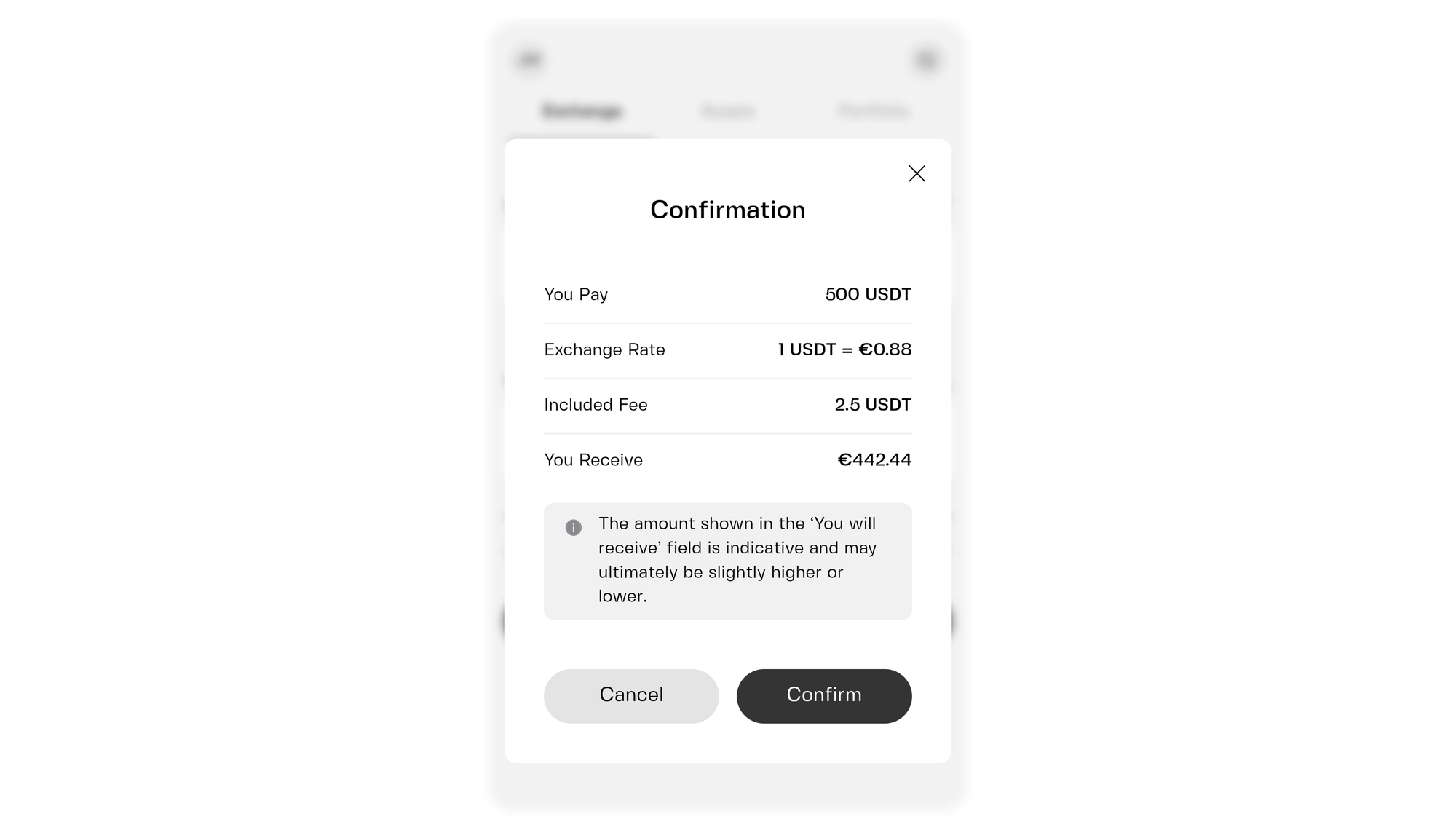
A good app shows a summary before anything happens. It's on screen for only a few seconds, so it helps to know what each line means.
The quote. This is the app's offer: for this much of asset A, you'll get this much of asset B. It's built from the market price plus any fee or spread. Think of the board at an airport currency counter, except it updates far more often.
The countdown. Prices move around the clock, so no app can hold one open forever. The timer next to a quote, usually a few seconds to a minute, tells you how long the price is on offer. Let it run out and the app refreshes the quote. Glance at the new number before confirming again, because it's easy to tap through on autopilot.
The estimate. Words like "estimated," "approximately," or "you'll receive at least" mean the final amount can land slightly differently from the screen. The "at least" figure is the useful one: it's the lowest amount you'll accept before the trade fails.
Why a quote can change
A quote is a snapshot of a moving market, and a few things can shift it between your tap and the final trade:
- The market moves. For big, widely traded assets the shift is usually small. For smaller or thinly traded ones, it can be larger.
- Size matters. A small order barely nudges the price. A big one may be filled in pieces at slightly different prices, and the gap between the price you expected and the price you got is slippage. A small test trade shows how much it varies.
- The network can be busy. If your swap runs on a blockchain, congestion can mean a delay or a higher network fee, and either can change what you end up with.
None of this means something went wrong. Live markets are the trade-off for being able to act at any hour.
What "instant" really means
In crypto apps, "instant" means very fast, not magic. Usually the app accepts your order and updates your balance within seconds, and because it handles the trade inside its own system, there's no waiting for a blockchain to confirm it.
Things slow down when money has to travel. Sending crypto to an outside wallet depends on network confirmation. Moving into a fiat balance can involve extra processing. And if the app asks you to verify your identity first, that adds time before your first conversion.
Verification is standard across the industry, since regulated platforms have to confirm who their customers are. It's part of how crypto compliance works.
Expect "within minutes" for most things. If something takes longer, check the transaction status in the app before trying again, because repeating an order can leave you with two trades instead of one.
Short checklist before you tap confirm
- Check the receiving asset. Read the name and ticker of what you're getting. Similar-looking tokens exist, and a rushed tap can land you in the wrong one.
- Check the network. The same coin, USDC for instance, can exist on several networks. Inside one app, the app usually handles this. When you send assets to another wallet or exchange, the network must match on both sides. A mismatch can mean delays or lost funds, and it's rarely fixable.
- Start small. Try a small amount first with a new asset, network, or app. You'll see how the quote behaves, how long it takes, and what lands in your balance.
- Compare "you pay" with "you receive." Look at both numbers and the fees line. When converting into a stablecoin or fiat balance, the amount you receive matters more than the headline price of the coin.
- Keep records for tax time. In many countries, swapping one crypto for another can count as a taxable event, not just selling for cash. Keep a simple record of dates, assets, and amounts, and consult a qualified tax professional for anything specific to you.
- Remember that markets carry risk. Converting into a stablecoin can calm the swings but doesn't remove every risk. Only trade amounts you're comfortable with.
Check the details, whatever the button says
Swap, convert, and exchange all describe the same basic idea: you give up one asset and receive another, at a price the app shows you first. Swap usually means crypto to crypto, convert means moving into a stablecoin or fiat balance, and exchange is the order book or the screen that houses it all.
Since labels vary, your protection is in the details: the quote, the countdown, the receiving asset, and the network. Check them before you confirm, expect small differences between quote and result, and build confidence by starting small. When you're ready to see it in practice, open the exchange in Clapp, try a small amount, and watch how the quote works.
Frequently asked questions
What's the difference between swap and convert in a crypto app?
A swap trades one crypto asset for another, like ETH for BTC. A convert usually moves you into a stablecoin or a fiat balance, like euros. Some apps use the two words interchangeably, so check which asset you're paying with and which you're receiving.
Is the price I see the price I'll get?
Usually it's very close, but not always identical. The quote is a snapshot of a live market, often with a countdown. If the timer runs out or the market moves, the app may show a new quote. Look for "estimated" or "at least" wording on the screen.
Why did I receive slightly less than the quote showed?
The most common reason is slippage: the market moved between your tap and the final trade. Bigger orders and less popular assets tend to see more of it. Network conditions and fees can also change the final amount, and a small test trade shows you how much it varies.
Does "instant" mean my swap is completed immediately?
Not always. It usually means the app processed your order within seconds. Transfers to outside wallets and moves into fiat balances can take longer because they depend on networks or extra processing. Within minutes is a realistic expectation.
Do I need to check the network when I swap crypto?
Inside one app, the app typically handles the network for you. You need to check it whenever you send assets to or from another wallet or platform. The network must match on both ends, or the transfer may fail or funds may be lost.
Is a crypto swap taxable?
In many countries, yes, because a swap can count as disposing of one asset to acquire another. Rules vary, so consult a qualified tax professional in your country. Our dedicated guide covers the basic differences.